
RAID Logs Explained: How to Track Risks, Assumptions, Issues and Dependencies


Published: 31 May 2026 | Last reviewed: 31 May 2026
Every project, no matter how well planned, encounters the unexpected. Suppliers fall behind schedule. Assumptions turn out to be wrong. A dependency on another team creates a bottleneck. A risk that seemed unlikely becomes a live problem. Without a structured way to track these things, project managers can quickly lose sight of what is happening and why.
A RAID log is one of the most practical tools available for keeping a project on track. It is straightforward to set up, easy to maintain, and gives every stakeholder a clear, up-to-date picture of the factors that could affect delivery. This article explains what a RAID log is, how each category works, and how to use one effectively in your projects.
What Is a RAID Log?
A RAID log is a project management document used to record and monitor four categories of information: Risks, Assumptions, Issues, and Dependencies. The acronym gives the tool its name.
Each category represents a different type of factor that can affect a project's success. By capturing all four in a single log, the project manager has one reliable reference point rather than separate lists scattered across emails, meeting notes, and spreadsheets.
RAID logs are used across industries and project types, from construction and IT to marketing campaigns and operational change programmes. They work equally well for small teams running short projects and large organisations managing complex, multi-workstream programmes.
The Four Elements of a RAID Log
Risks
A risk is something that has not yet happened but could affect the project if it does. Risks are always future-focused. The purpose of logging a risk is to identify it early, assess its likelihood and potential impact, and decide how to respond before it becomes a problem.
Common examples of project risks include:
A key team member leaving during a critical phase of the project
A third-party supplier being unable to deliver on time
Budget cuts reducing the resources available to the project
Regulatory changes affecting the scope or requirements of the work
For each risk, the RAID log should capture the description, the likelihood it will occur, the potential impact if it does, who is responsible for monitoring it, and what action is being taken to reduce the probability or limit the damage.
Assumptions
Assumptions are the conditions the project team has accepted as true for planning purposes, even though they have not been formally confirmed. Every project is built on assumptions. The risk is that if an assumption turns out to be wrong, it can have a significant knock-on effect on timelines, costs, or scope.
Typical project assumptions include:
That stakeholder sign-off will be obtained within a certain timeframe
That an existing system will be compatible with a new integration
That a particular team will have capacity to contribute at a specific point
That budget approval will be granted before a particular milestone
Recording assumptions makes them visible. If an assumption is later disproved, the project team can respond quickly rather than discovering the problem at a much later stage when the impact is greater.
Issues
An issue is something that has already happened and is actively affecting the project right now. Unlike a risk, which is potential, an issue is real and requires an immediate response.
Issues often arise from risks that were not mitigated in time, or from assumptions that turned out to be wrong.
Examples include:
A software environment not being available when the development team needs it
A key decision not being made, causing work to stall
A conflict between team members affecting productivity
A scope change introduced mid-project without a corresponding adjustment to the timeline or budget
The RAID log should record what the issue is, when it was identified, who is responsible for resolving it, and what action is being taken. Issues should be reviewed at every project status meeting until they are closed.
Dependencies
A dependency is something the project relies on that sits outside the direct control of the project team. Dependencies can be internal, such as work that must be completed by another team before the project can proceed, or external, such as a third-party approval or a regulatory decision.
Examples of common project dependencies include:
Waiting for a legal review before a contract can be signed
Needing the infrastructure team to complete an upgrade before testing can begin
Relying on data from a partner organisation that has its own timelines
Requiring sign-off from a senior stakeholder before a phase can be closed
Dependencies are particularly important to track because delays in one area can cascade through the project. Identifying them early allows the project manager to build appropriate lead times into the plan and escalate when a dependency is at risk of becoming an issue.
A Simple RAID Log: Example Format
Below is an example of how a basic RAID log might look in practice. Each row captures one item, its owner, current status, and the action being taken.
Type | Description | Owner | Status | Action / Notes |
Risk | Key supplier may miss delivery deadline | Procurement Lead | Open | Request confirmed delivery schedule; identify backup supplier |
Assumption | Client will provide test data by week 3 | Project Manager | Unverified | Confirm with client sponsor; document formally in project brief |
Issue | Access permissions not granted for staging environment | IT Lead | In Progress | Escalated to IT Director; target resolution by end of week |
Dependency | Integration work requires sign-off from legal team first | Legal Counsel | Pending | Chased by email 12 June; follow up if no response by 14 June |
The format can be adapted to suit your project. Some teams add columns for impact rating, target resolution date, or date raised. The important thing is consistency: the same structure should be used throughout the project so the log remains easy to read and update.
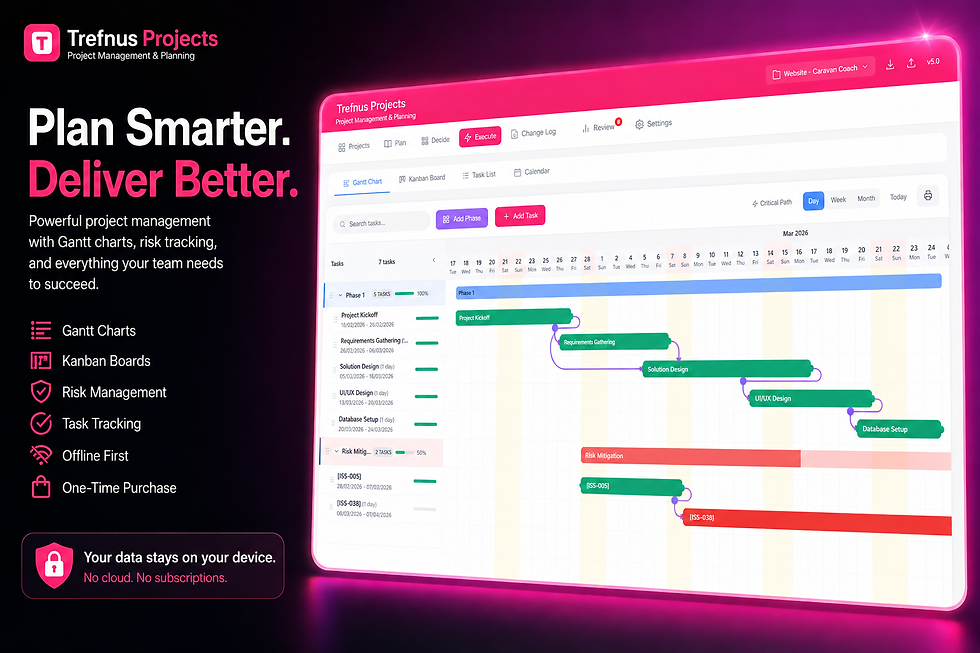
Managing projects with Trefnus Projects Trefnus Projects includes a built-in Risk Register that lets you log, categorise, and track project risks in one place, alongside Gantt charts, Kanban boards, mind maps, and a full decision matrix. It works offline, installs on any device, and requires no subscription. Explore Trefnus Projects at: |

How to Set Up and Maintain a RAID Log
Choose a format that works for your team
A RAID log does not need to be complicated. A shared spreadsheet works well for many projects. Project management tools that include a risk register or issues log can also be used, and some offer all four categories in one place. The most important factor is that the log is accessible to everyone who needs to contribute to it.
Populate it at the start of the project
The best time to create a RAID log is during the project initiation phase. Run a short workshop with the core project team to identify known risks, document the assumptions the plan is based on, capture any existing issues, and map out the key dependencies. This gives you a solid starting point and signals to the team that these things will be actively managed throughout.
Assign an owner to every item
Every entry in the RAID log should have a named owner. This is the person responsible for monitoring the item and taking action where needed. Without named ownership, items sit in the log without progress. Ownership does not mean the person has to resolve the issue alone, but they are accountable for keeping the entry up to date and escalating when necessary.
Review it regularly
A RAID log that is not reviewed regularly quickly becomes out of date and loses its value. Build a standing RAID log review into your weekly or fortnightly project status meeting. Go through each open item, update statuses, close items that are resolved, and add any new items that have been identified since the last review.
Keep it concise
Entries in a RAID log should be brief and easy to scan. Use plain language rather than jargon. A description of two or three sentences is usually enough. If a risk or issue requires detailed analysis, create a separate document and link to it from the log, rather than embedding lengthy text within the log itself.
Common Mistakes to Avoid
There are a few pitfalls that reduce the effectiveness of a RAID log:
Treating it as a one-off exercise. A RAID log only has value if it is maintained throughout the project, not just created at the start and then forgotten.
No named owners. If no one is responsible for an item, no one acts on it.
Confusing risks and issues. A risk that has materialised is now an issue and should be reclassified accordingly.
Making it too complex. A log with dozens of columns and colour-coded scoring systems can become a burden to maintain. Start simple and add complexity only if it is genuinely useful.
Keeping it to yourself. The RAID log should be shared with the project sponsor and key stakeholders. Transparency about risks and issues builds trust and allows for faster escalation when needed.
Frequently Asked Questions
What does RAID stand for in project management?
RAID stands for Risks, Assumptions, Issues, and Dependencies. A RAID log is a single document or register used to track all four categories throughout the life of a project, giving the project manager a consolidated view of everything that could affect delivery.
What is the difference between a risk and an issue on a RAID log?
A risk is something that has not yet happened but could affect the project if it does. An issue is something that has already happened and is actively affecting the project. Both need to be tracked, but they require different responses: risks are managed proactively, while issues require immediate action.
How often should a RAID log be updated?
At every project status meeting, typically weekly or fortnightly. Individual entries should be updated as soon as their status changes rather than waiting for the next scheduled review. The log is only useful if it reflects the current state of the project.
Who is responsible for maintaining the RAID log?
The project manager is usually responsible for maintaining the RAID log and ensuring it is kept up to date. However, individual items should be assigned to a named owner who is responsible for taking action and reporting progress. Ownership without accountability makes a RAID log ineffective.
Can a RAID log be used on small projects?
Yes. Even on small projects, a simple RAID log can prevent issues from being overlooked and give stakeholders confidence that risks are being managed. The format can be scaled down to a basic spreadsheet or a section within a project management tool, rather than a complex document.
Is a RAID log the same as a risk register?
Not exactly. A risk register focuses solely on risks, whereas a RAID log covers risks alongside assumptions, issues, and dependencies. A RAID log is broader in scope. Some project managers maintain both, using a detailed risk register for complex risk analysis and a RAID log for a high-level project overview.
Further Reading and Official Guidance
Resource | Notes |
Association for Project Management guidance on identifying and managing project risk. | |
Overview of the PRINCE2 methodology, which includes structured risk and issue management. | |
Project Management Institute resources on risk identification and response planning. | |
UK government framework covering project risk, issues, and delivery assurance. | |
Built-in risk register within Trefnus Projects for structured risk logging and tracking. |
Conclusion
A RAID log is one of the simplest and most effective tools in a project manager's toolkit. By bringing risks, assumptions, issues, and dependencies into a single, regularly updated document, it gives the whole team a shared understanding of where the project stands and what needs attention.
The format does not need to be complex. A well-maintained RAID log in a basic spreadsheet is far more valuable than an elaborate tool that nobody updates. Start with the four core categories, assign clear ownership, and make the log a standing agenda item in your project meetings.
For teams that want a more structured approach, using a project management tool with a built-in risk register can make it easier to keep everything in one place alongside your Gantt chart, task list, and decisions log. The discipline of logging and reviewing RAID items consistently is what makes the difference between a project that reacts to problems and one that anticipates them.
Disclaimer
The information in this article is intended for general guidance only and does not constitute professional legal, financial, or regulatory advice. Always consult a qualified professional for advice specific to your circumstances.


