
Project Risk Register Template: A Practical Guide for Project Managers

Updated: Jun 21

Published: June 2026 | Last Reviewed: June 2026
Every project carries risk. Whether you are launching a new product, refurbishing a facility, or managing a construction programme, things can and do go wrong. The question is not whether risks will arise, but whether your team is prepared to deal with them when they do.
A project risk register template gives you a structured, consistent way to record, score, and monitor risks throughout the project lifecycle. Used correctly, it transforms risk management from a vague, reactive exercise into a proactive discipline that protects your budget, timeline, and stakeholder relationships.
This guide explains what a risk register is, how to build and maintain one effectively, and how the right project management tool can keep your risk log current without the overhead of manual spreadsheets.
What Is a Project Risk Register?
A project risk register, sometimes called a risk log or risk tracker, is a document that captures all identified risks on a project in one place. For each risk, it records how likely it is to occur, how serious the impact would be, who is responsible for managing it, and what actions are in place to reduce or respond to it.
A well-maintained risk register serves several purposes:
Provides a single source of truth for all project risks.
Gives the project manager and sponsor visibility over the overall risk profile.
Ensures risk ownership is clearly assigned.
Creates an audit trail of decisions and mitigations taken throughout the project.
Risk registers are relevant to projects of all sizes. A small business rolling out new software and a large contractor managing a construction programme both benefit from the same structured approach.
Key Components of a Project Risk Register Template
A good project risk assessment template should capture the following for each risk:
Risk ID
A unique reference number such as R-001 or R-002. This makes it easy to discuss specific risks in meetings and reports without ambiguity.
Risk Description
A clear, plain-English statement of what the risk is and how it might affect the project. Avoid vague entries such as "IT problems". Instead, be specific: "Key software component may not integrate with the existing platform, causing a delay to the go-live date."
Risk Category
Grouping risks by category helps you spot patterns and assign the right people to manage them. Common categories include:
Category | Examples |
Financial | Budget overruns, funding gaps, currency fluctuation |
Technical | Design failures, software bugs, equipment faults |
Resource | Staff availability, skill gaps, contractor performance |
Supply Chain | Material delays, supplier insolvency, logistics disruption |
Regulatory / Compliance | Planning permission, legal changes, health and safety |
External | Weather, market conditions, political or economic change |
Stakeholder | Objections, changing requirements, communication breakdown |
Likelihood and Impact Scores
Score each risk on a 1 to 5 scale for likelihood of occurrence and severity of impact. Multiply the two scores to produce a risk score. A risk scoring 3 for likelihood and 4 for impact produces a risk score of 12, placing it in the medium-high band.
Score | Likelihood | Impact |
1 | Rare | Negligible - minimal effect on cost, time, or scope |
2 | Unlikely | Minor - small effect, manageable within contingency |
3 | Possible | Moderate - noticeable effect requiring active management |
4 | Likely | Major - significant effect on budget, schedule, or scope |
5 | Almost Certain | Severe - project failure or significant harm to stakeholders |
Many organisations apply a traffic-light system over the numerical score: low risk (1 to 6), medium risk (7 to 14), and high risk (15 to 25). High risks require immediate attention and, in most cases, escalation.
Risk Owner
Every risk must have a named owner: the person responsible for monitoring the risk and ensuring mitigations are in place. Without clear ownership, risks are easily overlooked.
Mitigation Action
Mitigation actions are proactive steps taken to reduce the likelihood or impact of a risk before it occurs. Each action should be specific, assigned to a named person, and have a target completion date.
Contingency Plan
A contingency plan describes what your team will do if the risk materialises despite mitigation efforts. Having this agreed in advance means you can respond quickly without losing time deciding on a course of action.
Risk Status
Track each risk as Open, In Progress, Monitored, Closed, or Escalated. Keeping statuses current ensures the register accurately reflects the project's risk landscape at any given point.
Project Risk Register Template
The table below provides an example project risk register populated with three sample risks to demonstrate how each field can be completed and maintained throughout a project lifecycle. Use this example as a guide when creating your own register, and tailor it to suit your project requirements by adding additional fields such as target resolution dates, residual risk ratings, review frequencies, or links to supporting documentation.

How to Complete a Project Risk Register
Step 1: Identify Risks
Bring your project team together for a risk identification workshop. Those closest to the work often spot risks that project managers miss. Brainstorming, lessons-learned reviews from previous projects, and expert interviews all help surface risks early. Capture everything at this stage, then assess each risk systematically.
Step 2: Score Each Risk
Score each risk using your likelihood and impact scale. Agree on shared definitions before scoring begins to ensure consistency across the team. Calculate the risk score by multiplying likelihood by impact, then apply your traffic-light thresholds.
Step 3: Assign Ownership
Match each risk to the team member best placed to manage it. Risk owners should have the authority and expertise to act, not simply be the project manager by default.
Step 4: Define Mitigations and Contingencies
Work through each risk with its owner to agree mitigation actions and contingency plans. Remember the distinction: mitigations reduce the chance or severity of a risk occurring; contingency plans describe what happens if it occurs anyway. Both are necessary.
Step 5: Review and Update the Risk Register
Build risk reviews into your project rhythm from the start. A useful rule of thumb is to review the register at each team meeting and at every stage gate. New risks emerge as projects progress, and existing risks change status as mitigations take effect.
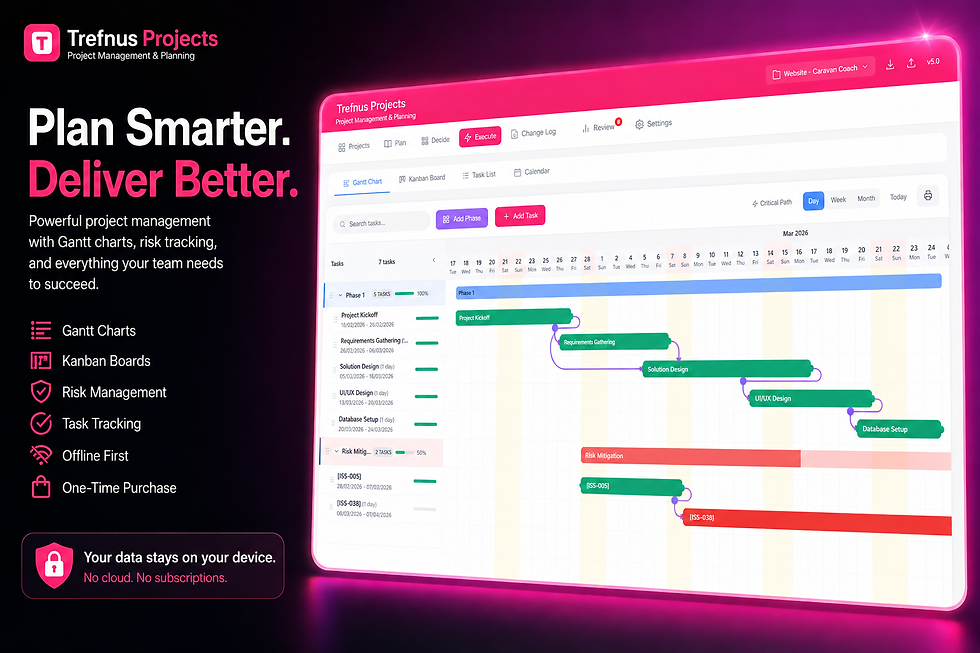
Keep Your Risk Register, Programme, and Tasks in One Place Spreadsheets work well for small projects, but teams quickly outgrow them once multiple stakeholders need to update risks simultaneously. Trefnus Projects includes a built-in Risk Register alongside Gantt charts, Kanban boards, and work packages. Changes are captured with a full audit history, and the app works offline, so your risk data stays current even without an internet connection. Explore Trefnus Projects: |

Common Project Risk Register Mistakes to Avoid
Vague Risk Descriptions
"IT problems" or "delays" are impossible to manage. A useful risk description explains the cause, the event, and the potential effect: "If the main contractor fails to mobilise additional labour by week six, the programme will slip by at least two weeks, increasing preliminaries costs."
No Named Risk Owner
Risks without a named owner are rarely managed. Every risk should have a responsible person identified, even if the project manager holds ownership temporarily.
A Static Risk Register
Completing a risk register at project start and never revisiting it creates a false sense of security. New risks emerge continuously. Schedule reviews from day one.
Underestimating Low-Probability, High-Impact Risks
A rare risk with catastrophic consequences deserves a contingency plan even when its likelihood score is low. A score of 1 for likelihood and 5 for impact yields only 5 on the matrix, but project cancellation or serious reputational damage may warrant specific attention regardless.
Confusing Mitigation with Contingency
Mitigation reduces the chance or severity of a risk occurring. Contingency describes what you do if it occurs anyway. Conflating the two leaves teams underprepared when risks materialise.
Risk Appetite and Risk Tolerance
Different organisations have different attitudes to risk. A start-up may accept high uncertainty in exchange for speed. A regulated manufacturer may have very low tolerance driven by compliance obligations.
Before scoring risks, establish your organisation's risk appetite: the level of risk you are willing to accept in pursuit of your objectives. Risk tolerance then defines the boundaries of acceptable variation, for example a programme slippage of up to two weeks is acceptable, but anything beyond that requires escalation. Document these thresholds in your risk management plan so everyone works from the same framework.
When to Escalate a Project Risk
Not all risks can be managed at project level.
Common escalation triggers include:
The risk score exceeds the agreed escalation threshold, for example a score above 15 on a 25-point matrix.
The risk affects multiple projects or programmes simultaneously.
The project manager does not have the authority or budget to implement the required mitigation.
A risk has materialised and become an issue requiring immediate senior intervention.
Reputational, legal, or regulatory implications are involved.
Escalated risks should be logged with the date, the reason for escalation, and the name of the person or group to whom they were escalated. Record the outcome of every escalation decision to maintain a clear audit trail.
Frequently Asked Questions
What is the difference between a risk register and an issue log?
A risk register captures potential problems that may occur in future, along with plans to prevent or respond to them. An issue log records problems that have already occurred and are being actively managed. Keeping them separate makes it easier to distinguish reactive from proactive work.
How often should a project risk register be updated?
Review and update the register at each project stage gate and at regular team meetings. Any significant change to scope, programme, or the external environment should also trigger a review. The register is only useful if it reflects the current state of the project.
Who should have access to the risk register?
The project manager, risk owners, and key stakeholders including the project sponsor should all have access. Sensitive commercial or legal risks may warrant restricted access.
What risk score threshold should trigger escalation?
On a standard 5x5 risk matrix producing scores from 1 to 25, scores of 15 and above are typically treated as high risks requiring escalation. Scores of 8 to 14 are medium risks managed at project level. Agree and document these thresholds with your sponsor before the project begins.
What is residual risk?
Residual risk is the level of risk that remains after mitigation actions have been implemented. Re-score likelihood and impact after mitigation to produce a residual risk score. If the residual score still exceeds your escalation threshold, additional actions or contingency funding may be required.
Can I use a spreadsheet as a risk register?
A spreadsheet is a perfectly adequate starting point for smaller projects. However, as projects grow in complexity and more stakeholders need to contribute, a purpose-built project management tool with an integrated risk register offers better version control, real-time visibility, and a reliable audit trail.
Conclusion
A project risk register template is one of the most valuable tools in any project manager's toolkit. Used consistently, it transforms risk management from an afterthought into a structured discipline that genuinely protects your projects.
Start by identifying risks with your team, score them consistently using a likelihood and impact matrix, assign clear ownership, and build regular reviews into your project routine from the outset. The template and scoring framework in this guide give you everything you need to get started.
For teams managing multiple projects, a dedicated tool with an integrated risk register removes the overhead of manual spreadsheets and keeps your risk data current. Explore Trefnus Projects at trefnus.com/projects.
Further Reading and Official Guidance
The following resources provide authoritative guidance on project risk management and risk assessment:
Organisation | Resource | Why It Matters | URL |
Association for Project Management (APM) | What Is Risk Management? | The UK's leading professional body for project management; clear introductory and advanced guidance. | |
AXELOS | PRINCE2 Risk Management | The PRINCE2 framework includes a comprehensive risk management approach widely used across UK public and private sector projects. | |
Project Management Institute (PMI) | PMBOK Guide: Risk Management | The global standard for project management practice, with a dedicated knowledge area covering all aspects of risk. | |
Infrastructure and Projects Authority (IPA) | Project Delivery Capability Framework | Government guidance on project delivery including risk management practices used across major UK programmes. | |
BSI | BS 31100 Risk Management | The British Standard code of practice for risk management, providing principles and guidelines applicable to any organisation. |
Disclaimer
The information in this article is intended for general guidance only and does not constitute professional legal, financial, or regulatory advice. Always consult a qualified professional for advice specific to your circumstances.


