
Kanban vs Gantt Chart: Which Should You Use?
Updated: Jun 21

Published: 25 May 2026 | Last reviewed: 25 May 2026
Choosing the right visual planning tool can make a real difference to how smoothly a project runs. Two of the most widely used methods are the Kanban board and the Gantt chart, but they work in very different ways and suit different types of work.
If you are a small business owner, project manager, or team leader trying to decide which approach is right for your next project, this guide breaks down exactly what each tool does, when to use it, and when you might want to use both at the same time.
Understanding the distinction between a Kanban vs Gantt chart is not about picking a winner. It is about matching the tool to the task.
What Is a Gantt Chart?
A Gantt chart is a horizontal bar chart that plots tasks along a timeline. Each bar represents a task, showing when it starts, how long it lasts, and when it is due to finish. Dependencies between tasks are typically shown as connecting lines, making it easy to see which tasks must be completed before others can begin.
Gantt charts are particularly useful for projects with fixed deadlines, defined phases, and a clear start and end point. Construction projects, product launches, and event planning are all common use cases.
Key features of a Gantt chart
Timeline view showing tasks across days, weeks, or months
Task dependencies and critical path identification
Milestones to mark key delivery points
Resource and workload tracking across team members
Clear visibility of project deadlines and overall progress
If you want to dig deeper into how Gantt charts work and how to build one from scratch, take a look at our complete guide to Gantt charts for project planning.
What Is a Kanban Board?
A Kanban board is a visual workflow tool that organises tasks into columns representing different stages of progress. The most common layout uses columns such as To Do, In Progress, and Done, though you can customise the columns to match your specific workflow.
Each task is represented by a card that moves from left to right across the board as work progresses. The focus is on managing flow and limiting the number of tasks in progress at any one time, rather than adhering to a fixed schedule.
Kanban is widely used in software development, marketing teams, and customer service departments, but it works well in any environment where work arrives continuously rather than in defined project phases.
Key features of a Kanban board
Column-based workflow with cards representing individual tasks
Work-in-progress limits to prevent overloading the team
Simple drag-and-drop movement of tasks between stages
At-a-glance view of bottlenecks and blocked work
Flexible enough to adapt as priorities shift
Kanban vs Gantt Chart: A Side-by-Side Comparison
The table below summarises the main differences between the two approaches to help you make a quick decision.
Feature | Gantt Chart | Kanban Board |
Best for | Fixed-scope, deadline-driven projects | Ongoing or continuous workflows |
Timeline | Central to the view | Not typically shown |
Task dependencies | Clearly mapped | Not usually tracked |
Flexibility | Lower; changes require replanning | High; cards can be reprioritised easily |
Team visibility | Who is doing what and when | What stage tasks are at |
Ideal industries | Construction, events, product launches | Software, marketing, customer support |
Learning curve | Moderate | Low |
Progress tracking | By timeline and percentage complete | By column position |
When to Use a Gantt Chart
A Gantt chart is the right choice when your project has a clear beginning and end, and when the sequence of tasks matters. If some work cannot begin until other work is finished, a Gantt chart makes those dependencies visible and helps you plan accordingly.
Use a Gantt chart when
You are managing a project with a fixed delivery date
Tasks depend on each other in a defined sequence
You need to communicate the project timeline to stakeholders or clients
You are tracking multiple workstreams running in parallel
Resource planning and workload balancing are important
Gantt charts are also valuable when you need to identify the critical path of a project, meaning the chain of tasks that directly determines how long the project will take. Any delay to a task on the critical path delays the whole project, so knowing where it runs helps you prioritise effort effectively.
When to Use a Kanban Board
Kanban works best when work is continuous and priorities can change from day to day. Rather than plotting everything on a timeline, you focus on making sure tasks flow smoothly through your team without bottlenecks building up.
Use a Kanban board when
Your team handles an ongoing stream of requests or tasks
Deadlines are flexible or task durations vary widely
You want a simple, low-overhead way to manage daily work
You are running a support desk, development sprint, or content calendar
You need the team to self-manage their workload with minimal supervision
Kanban boards are particularly effective for smaller teams who need to see what everyone is working on without the complexity of a full project schedule. They are quick to set up and easy to maintain.
Can You Use a Kanban Board and a Gantt Chart Together?
Yes, and this is often the most effective approach for complex projects. Many project managers use a Gantt chart at the macro level to plan the overall timeline and key milestones, then use a Kanban board at the task level to manage day-to-day execution within each phase.
For example, a product launch might have a Gantt chart showing phases such as research, design, development, and release. Within the development phase, the team then uses a Kanban board to manage individual features and bug fixes as they move through the workflow.
This combination gives you the strategic clarity of a timeline view alongside the operational flexibility of a flow-based board.
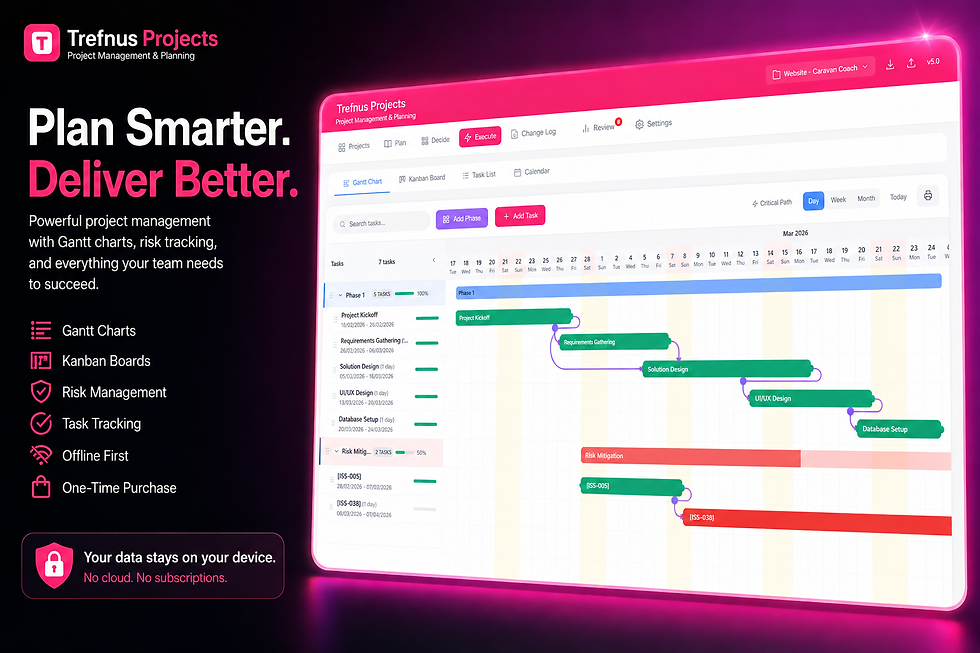
Try Trefnus Projects Trefnus Projects gives you a full Gantt chart, Kanban board, and mind-mapping tool in one offline-capable app, so you can switch between planning styles as your project evolves. No subscription required. Explore Trefnus Projects at: |

Common Mistakes When Choosing Between Kanban and Gantt
Using a Gantt chart for work that never ends
Gantt charts are designed for projects with a finish line. Trying to Gantt-plan an ongoing support queue or content operation leads to constant replanning and frustration. A Kanban board is a much better fit for work without a defined endpoint.
Using Kanban when deadlines really do matter
Kanban is flexible by design, but that flexibility can become a liability if you have hard deadlines and dependencies to manage. If a client is expecting delivery on a specific date, a Gantt chart gives you far better control over whether you are on track.
Overcomplicating the tool for the task
Not every piece of work needs a detailed project plan. A simple Kanban board with three columns is often enough to keep a small team organised. Equally, a rough Gantt chart sketched in a planning app can save a project from going off the rails without requiring hours of setup.
Not reviewing or updating the board or chart
Both tools only work if they reflect reality. A Gantt chart that has not been updated for three weeks gives a false picture of project health. A Kanban board with cards that have been sitting in In Progress for a fortnight highlights a problem, but only if someone is looking at it.
Frequently Asked Questions
What is the main difference between Kanban and a Gantt chart?
A Gantt chart is a timeline-based tool that shows when tasks start and finish relative to each other. A Kanban board is a flow-based tool that shows what stage each task is currently at. Gantt charts are best for projects with fixed deadlines and dependencies; Kanban boards are best for continuous, flexible workflows.
Which is easier to use, Kanban or Gantt?
Kanban boards are generally easier to get started with. They have a low learning curve and can be set up in minutes with just a few columns and cards. Gantt charts require more upfront planning and a clear understanding of task dependencies and timelines, but they offer far more control over complex, deadline-driven projects.
Can I use both a Kanban board and a Gantt chart for the same project?
Yes. Many teams use a Gantt chart to plan the overall project structure and key milestones, then use a Kanban board within each phase to manage day-to-day tasks. This combination gives you strategic clarity at the top level and operational flexibility at the task level.
Is Kanban better than a Gantt chart for small businesses?
It depends on the type of work. For small businesses managing project-based work with clear deliverables and deadlines, a Gantt chart often provides better control. For businesses managing ongoing operations such as customer requests, content creation, or maintenance tasks, a Kanban board is usually more practical and easier to sustain.
What software supports both Kanban and Gantt chart views?
Some project management tools offer both views within the same application. Trefnus Projects, for example, includes a full Gantt chart, Kanban board, and mind-mapping tool in a single offline-capable app. This means you can switch between planning styles without having to export data or change platforms.
What does critical path mean in a Gantt chart?
The critical path is the longest sequence of dependent tasks that determines the minimum time needed to complete a project. Any delay to a task on the critical path will delay the overall project finish date. Identifying the critical path is one of the key advantages of using a Gantt chart. You can read more in our guide to critical path method.
Further Reading and Official Guidance
The following resources provide additional context on project planning methodologies and best practices for small and medium-sized businesses.
Project Management Institute (PMI) - The global authority on project management standards and methodologies.
AXELOS PRINCE2 Guidance - The UK government-backed project management framework widely used across public and private sectors.
Agile Alliance - An introduction to agile and Kanban principles from the leading agile membership organisation.
GOV.UK Guidance on Business Planning - Practical guidance for small business owners on planning and operations from the UK government.
Conclusion
There is no single right answer in the Kanban vs Gantt chart debate. The best tool depends on the nature of your work, your team's preferences, and how much structure your projects require.
If you are managing a project with a clear scope, fixed deadlines, and task dependencies, a Gantt chart gives you the visibility and control you need. If your team handles continuous, flexible work where priorities shift regularly, a Kanban board is likely the better fit. For many businesses, using both tools in tandem gives you the best of both worlds.
Trefnus Projects includes both a full Gantt chart and a Kanban board in one offline-capable app, so you can plan at whatever level suits the moment. Find out more at trefnus.com/projects.
Disclaimer
The information in this article is intended for general guidance only and does not constitute professional legal, financial, or regulatory advice. Always consult a qualified professional for advice specific to your circumstances.


