
Mind Maps for Project Planning: How to Think Visually and Deliver Better Projects


Every project starts with a spark of an idea. But that spark quickly becomes a tangle of tasks, dependencies, deadlines, and stakeholders. For many teams, turning an initial concept into a structured plan feels overwhelming, and that is where mind maps come in.
Mind maps for project planning offer a visual, intuitive way to organise your thinking before a single task is assigned or a deadline is set. They help you see the full scope of a project, identify connections between workstreams, and ensure nothing important is overlooked.
In this article, we explore what mind maps are, why they are particularly effective in project planning, and how to use them well, whether you are managing a small business initiative or a complex multi-phase delivery.
What Is a Mind Map?
A mind map is a visual diagram that starts with a central idea and branches outward into related topics, subtopics, and details. Developed as a note-taking and thinking tool, mind maps mimic the way the brain naturally makes connections, making them ideal for both creative and analytical thinking.
In a typical mind map:
• The central node represents the main subject or project
• Primary branches represent key themes, phases, or workstreams
• Secondary branches break those themes down further into tasks or components
• Connections can link branches that relate to one another across the map
This structure makes it easy to see the big picture at a glance while still being able to drill into the detail of any specific area.
Why Use Mind Maps for Project Planning?
Traditional project planning tools, such as spreadsheets and task lists, are great for tracking progress but less effective at capturing the shape of a project during its early stages. Mind maps fill that gap.
1. They Help You Think Before You Plan
Before you can build a Gantt chart or assign tasks, you need to know what the project actually involves. Mind mapping gives you a low-friction way to dump everything out of your head and onto a canvas, without the pressure of ordering or prioritising too soon.
This is particularly useful in the discovery or scoping phase, when requirements are still forming and decisions are yet to be made.
2. They Reveal What You Might Have Missed
Because mind maps encourage branching and association, they are effective at surfacing gaps. When you see a branch with only one sub-item, it is often a signal that you have not fully thought through that area. Gaps become visible in a way they rarely do in a flat list.
3. They Support Team Collaboration
Mind mapping works well in group settings. Whether you are running a project kick-off session or a whiteboard brainstorm, a shared mind map gives everyone a place to contribute ideas without the conversation becoming dominated by whoever speaks loudest.
It also creates a useful shared artefact that the team can refer back to as the project progresses.
4. They Bridge the Gap Between Concept and Execution
Once your mind map is complete, it can serve as the blueprint for your project structure. The primary branches can become work packages or phases, secondary branches can become tasks, and relationships between nodes can inform your dependency planning.
This makes the transition from brainstorming to structured planning far smoother.
How to Create a Mind Map for Your Project
You do not need specialist software to create a mind map, though the right tool makes a significant difference.
Here is a straightforward process you can follow:
Step 1: Define Your Central Node
Start with the project name or goal at the centre of your canvas. Keep it short and specific. For example: 'Office Relocation Q3' or 'New Product Launch.'
Step 2: Add Your Primary Branches
Think about the major areas of work or phases involved. These become your first-level branches. For a product launch, these might include: Marketing, Development, Legal, Operations, and Customer Support.
Step 3: Break Each Branch Down
For each primary branch, add the sub-tasks, considerations, or components that sit underneath it. Go as deep as feels useful, but do not worry about being exhaustive at this stage. You are thinking out loud, not writing a specification.
Step 4: Identify Connections and Dependencies
Look across your map for relationships between branches. Perhaps the Marketing branch depends on something in the Development branch. Drawing connections between these nodes starts to reveal your project's dependency structure, which will be essential when you move into formal planning.
Step 5: Convert to Actionable Tasks
Once you are satisfied with your map, the nodes at the edge of your branches typically represent discrete tasks or deliverables. These can be pulled into your project management tool of choice and turned into scheduled work with owners and deadlines.
Common Mistakes to Avoid with Mind Mapping
Going too deep too soon: Keep early-stage maps high-level. You can always add detail later.
Trying to be exhaustive in one session: Mind mapping works best in short, focused bursts. Return to the map and refine it over time.
Skipping the review: A mind map that is never revisited is wasted effort. Build in time to review and update it as the project evolves.
Using it in isolation: Mind maps are a starting point, not a replacement for proper planning tools. They work best as a precursor to Gantt charts, task lists, and work package documentation.
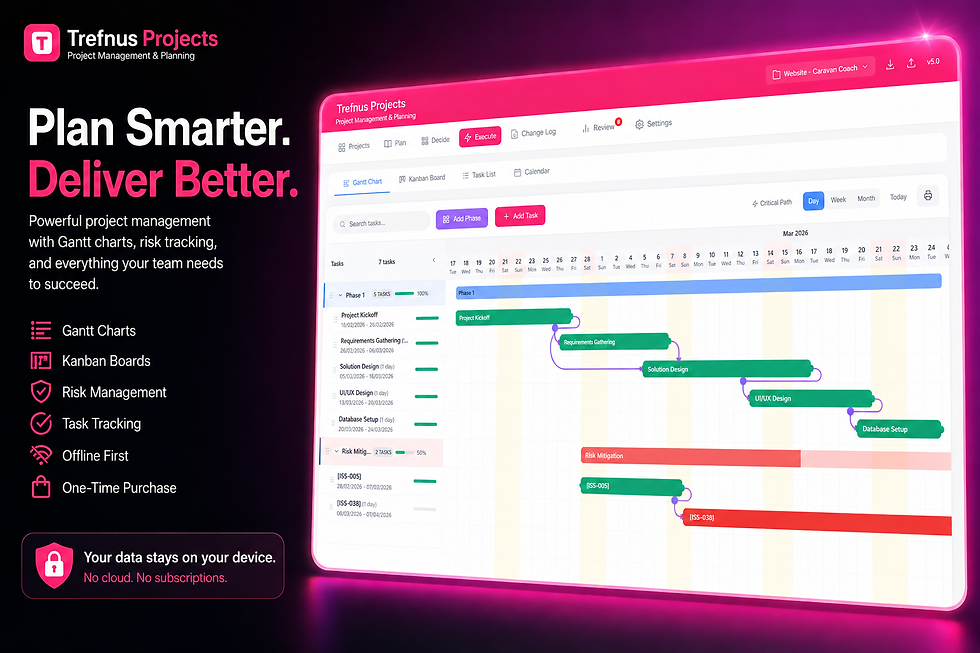
Trefnus Projects Trefnus Projects includes a built-in Mind Map view as part of its unified project planning workspace. You can brainstorm in mind mapping mode, then convert nodes directly into project tasks, without switching tools or losing your thinking. The Gantt chart, Kanban board, and task list are all available alongside the mind map in the same application, making it straightforward to move from idea to execution. Trefnus Projects works fully offline as a Progressive Web App, so your planning is never dependent on an internet connection. Explore Trefnus Projects at: |

When Are Mind Maps Most Useful in a Project?
Mind maps are not just a planning tool. They can add value at multiple points across the project lifecycle:
Project kick-off: Align the team on scope and structure before any formal planning begins
Scope definition: Identify all deliverables and workstreams before writing a project brief or work packages
Stakeholder discussions: Present a visual overview of the project to senior stakeholders who do not need the detail
Risk and issue identification: Use a dedicated mind map to brainstorm potential risks across project areas
Lessons learned: Capture reflections at project close in a format that is easy to share and digest
Mind Maps vs. Other Project Planning Tools
Tool | Best Used For | Limitations |
Mind Map | Early-stage brainstorming, scope definition, concept mapping | Not suitable for tracking progress or managing deadlines |
Gantt Chart | Scheduling tasks, visualising timelines, tracking critical paths | Less useful for exploratory thinking or early scoping |
Kanban Board | Managing work in progress, visualising workflow status | Limited visibility of the overall project shape |
Task List | Day-to-day task tracking and assignment | Lacks visual context and relationship mapping |
The key insight here is that these tools complement one another. A well-structured mind map makes every subsequent planning tool more effective, because the thinking has already been done.
Conclusion
Mind maps for project planning are one of the most underused tools available to project managers and business owners. They offer a fast, visual, and collaborative way to think through complex projects before the pressure of deadlines and deliverables kicks in.
Whether you are planning a product launch, a business improvement initiative, or a client delivery, starting with a mind map can save hours of rework down the line. It gives your team a shared understanding of what the project involves and provides a natural bridge into more structured planning.
If you are looking for a project planning tool that brings mind mapping, Gantt charts, Kanban boards, and task tracking together in one place, Trefnus Projects is worth exploring. It is designed for teams who want powerful, structured planning without the complexity of enterprise software.
Disclaimer
The information in this article is intended for general guidance only and does not constitute professional legal, financial, or regulatory advice. Always consult a qualified professional for advice specific to your circumstances.


