CMMS vs CAFM vs EAM: What's the Difference?


If you are looking into maintenance or facilities management software, you have probably come across three acronyms: CMMS vs CAFM, vs EAM. On the surface they can seem interchangeable, but each system serves a distinct purpose and suits different types of organisations.
Choosing the wrong platform can mean paying for features you will never use, or missing the functionality your team actually needs. This guide breaks down what each system does, where they overlap, and how to decide which one is the right fit for your business.
What is a CMMS?
A Computerised Maintenance Management System (CMMS) is software designed to help organisations plan, track, and record maintenance activities on assets and equipment. It is the go-to tool for maintenance teams who need to stay on top of servicing schedules, fault reporting, and work order management.
Core functions of a CMMS
Preventive maintenance scheduling: set recurring service intervals for equipment so nothing gets overlooked.
Work order management: create, assign, and track maintenance jobs from logging through to completion.
Asset management: hold a central record of each asset, including its location, service history, and condition.
Defect and fault logging: record breakdowns and track them through to resolution.
Contractor and contract management: manage service agreements and schedule third-party visits.
Reporting and dashboards: monitor maintenance performance, overdue tasks, and key metrics.
A CMMS is generally the most practical starting point for SMEs. It focuses squarely on keeping equipment running and maintenance teams organised, without the complexity or cost of larger enterprise platforms.
What is CAFM?
Computer-Aided Facilities Management (CAFM) software is designed around the built environment, specifically the management of buildings, spaces, and the services within them. Where a CMMS is asset and maintenance-centric, CAFM is property and space-centric.
CAFM is particularly common in organisations that manage large or complex facilities such as office estates, hospitals, universities, or multi-site retail portfolios.
Core functions of a CAFM system
Space management: map and allocate floor space, manage occupancy, and plan office moves.
Facilities work orders: handle reactive and planned maintenance requests across buildings.
Room and resource booking: coordinate meeting rooms, desks, and shared facilities.
Compliance tracking: monitor statutory inspections, fire safety checks, and regulatory obligations.
Help desk integration: receive and manage service requests from building users.
BIM and CAD integration: link to building information models and floor plans for spatial visibility.
CAFM tools tend to be used by facilities managers and property teams rather than maintenance engineers. The emphasis is on managing the building and its occupants, not just the equipment inside it.
What is EAM?
Enterprise Asset Management (EAM) is a broad software category that covers the complete lifecycle of physical assets, from procurement and commissioning through to maintenance, depreciation, and eventual disposal. It is typically used by large organisations with complex, multi-site asset portfolios.
EAM systems often integrate directly with enterprise resource planning (ERP) platforms and financial systems, making them a natural fit for organisations where asset management has significant financial, regulatory, or operational implications.
Core functions of an EAM platform
Full asset lifecycle management: track assets from purchase through to decommissioning.
Advanced maintenance planning: preventive, predictive, and condition-based maintenance at scale.
Financial and procurement integration: link asset data to purchasing, depreciation schedules, and budgets.
Regulatory compliance: manage complex audit trails and statutory requirements across sites.
Multi-site and multi-entity support: handle assets across geographies, legal entities, and business units.
Advanced reporting and analytics: deep operational and financial insight into asset performance.
EAM is powerful but comes with significant implementation complexity and cost. It is rarely the right choice for small or medium-sized businesses unless their asset portfolio or regulatory obligations genuinely demand it.
CMMS vs CAFM vs EAM: Key Differences at a Glance
The table below summarises the main distinctions between the three systems to help you compare them side by side.
Feature / Focus | CMMS | CAFM | EAM |
Primary focus | Equipment maintenance | Buildings and space | Whole-life asset management |
Target user | Maintenance teams | Facilities managers | Enterprise operations |
Work orders | Yes, core feature | Yes, facilities-focused | Yes, enterprise-grade |
Asset tracking | Yes, maintenance-centric | Yes, space and property | Yes, full lifecycle |
Space management | No | Yes, key feature | Limited |
Preventive maintenance | Yes | Basic | Yes, advanced |
Financial integration | Basic | Cost allocation | Full ERP integration |
Typical business size | SMEs to mid-market | Facilities-heavy orgs | Large enterprises |
Complexity | Low to moderate | Moderate | High |
Setup cost | Low to medium | Medium | High |
Where CMMS, CAFM, and EAM Overlap
The boundaries between these systems are not always clear-cut. There is genuine overlap in several areas, and some vendors market products that blur the lines deliberately.
Work orders: all three systems support work order management, although the depth and focus differ. CMMS focuses on equipment maintenance, CAFM on facilities requests, and EAM on enterprise-wide asset jobs.
Asset records: each system holds information about physical assets, but the scope varies. CMMS tracks maintenance-relevant data, CAFM includes spatial and property information, and EAM covers the full financial and operational lifecycle.
Preventive maintenance: both CMMS and EAM offer robust preventive maintenance scheduling. CAFM typically includes it in a more limited form.
Reporting: all three provide management reporting, though EAM reporting tends to be the most financially detailed.
If you are evaluating specific products, you may find that some CMMS tools have added space management features, or that certain CAFM platforms now include strong asset maintenance modules. Always assess the software against your actual requirements rather than relying on the category label alone.
Which System Does Your Business Need?
The right choice comes down to three factors: the size of your organisation, the nature of your assets, and the primary problem you are trying to solve. Use the table below as a starting point.
Business Scenario | Recommended System |
SME needing to schedule equipment servicing and log faults | CMMS |
Property or facilities team managing building space and compliance | CAFM |
Large enterprise with complex multi-site assets and ERP integration | EAM |
Small business wanting simple maintenance tracking without enterprise overhead | CMMS |
Organisation needing space planning, room bookings, and move management | CAFM |
Business managing full asset lifecycle including procurement and disposal | EAM |
For most small and medium-sized businesses, a CMMS is the most practical and cost-effective option. It addresses the most common maintenance challenges without overcomplicating your processes or stretching your budget.
If your primary concern is managing building space, occupancy, or facilities requests across a large property portfolio, a CAFM system will serve you better. And if you are running a large multi-site operation with significant asset investment and ERP requirements, EAM is likely the appropriate direction.
Common Mistakes When Choosing Maintenance Software
Overbuying: selecting an EAM platform when a CMMS would meet 90% of your needs, and paying for complexity you will never use.
Underbuying: choosing a basic spreadsheet or simple tool that cannot scale as your asset base or team grows.
Ignoring usability: maintenance teams are unlikely to adopt software that is difficult to use on the job. Look for tools your team will actually log into.
Skipping the pilot: many vendors offer trials or demos. Test the software with real data and real users before committing.
Overlooking offline capability: if your team works in areas with unreliable connectivity, offline-first software can make a significant practical difference.
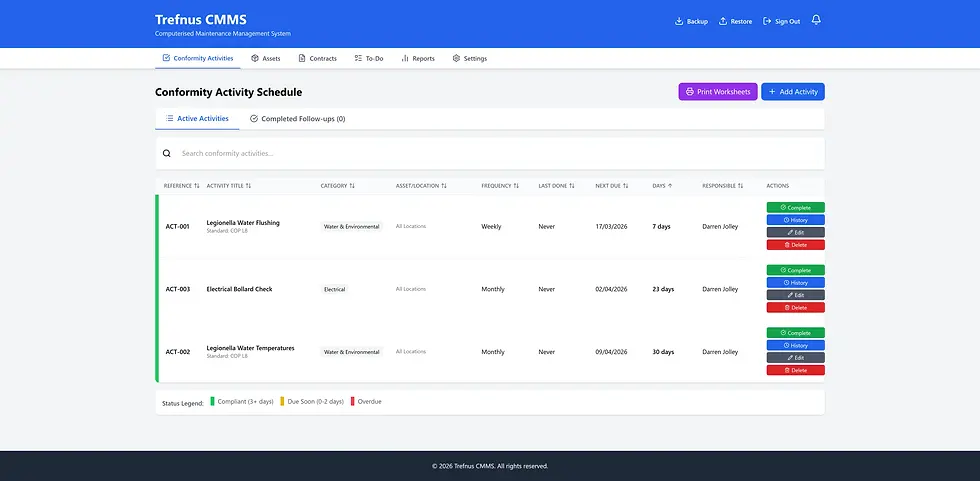
Trefnus CMMS Trefnus CMMS is a browser-based, offline-first maintenance management system designed for small and medium-sized businesses. It covers preventive and corrective maintenance, asset tracking, defect management, contract management, and reporting, all without the complexity or cost of an enterprise EAM platform. Find out more: |

Conclusion
CMMS, CAFM, and EAM each serve a distinct purpose. A CMMS is built for maintenance teams managing equipment and service schedules. CAFM is designed for facilities managers overseeing buildings, space, and property compliance. EAM addresses the full lifecycle of assets within large, complex organisations.
For most SMEs, a CMMS is the natural starting point. It covers preventive maintenance, work order management, asset tracking, and contractor coordination without the overhead of enterprise-grade platforms. As your business grows or your requirements evolve, you can assess whether a more comprehensive system becomes appropriate.
If you are ready to bring structure to your maintenance operations, explore Trefnus CMMS at trefnus.com/cmms
Disclaimer The information in this article is intended for general guidance only and does not constitute professional legal, financial, or regulatory advice. Always consult a qualified professional for advice specific to your circumstances.